
GuidedSMILE Rx & AI Record Analyzer

Start Your GuidedSMILE Case

Choose how you would like to begin.

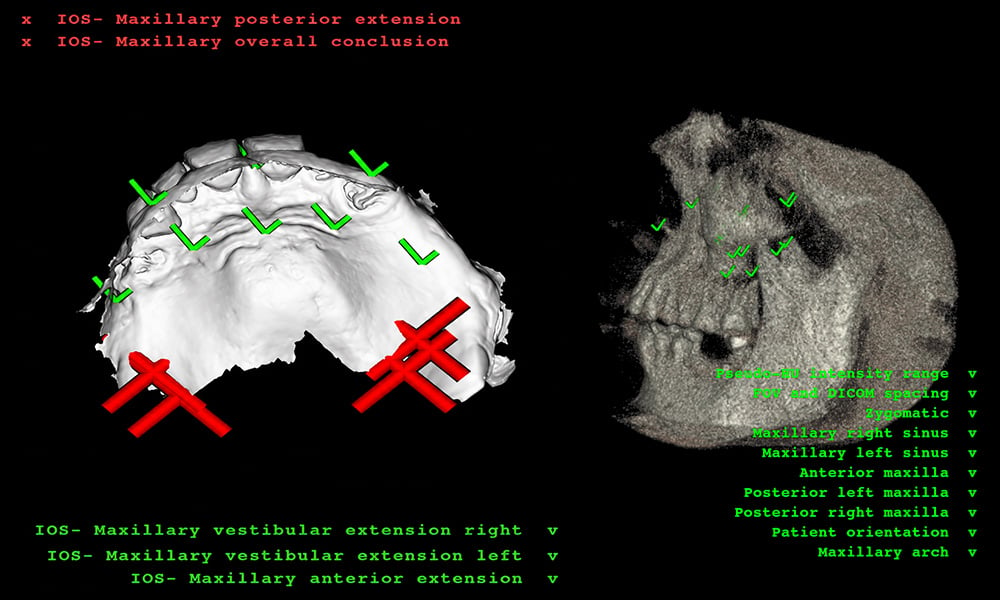
Verify your CBCT and STL records with optional AI analysis, or go directly to the appropriate Rx.

Option 1

Analyze Your Records with AI

Know before your patient leaves

Upload CBCT and STL files chairside and receive an AI-powered review in minutes.

Begin AI Review

Option 2

Go Direct to Rx

Feel good about your patient records?

Skip AI analysis and proceed directly to submit your GuidedSMILE Rx or CombiGuide Rx.

View Rx Options

IOS Scan 1

How It Works

Number-Icons-01-100

Upload Your Records

Upload the patient's CBCT and STL files after capture.

Number-Icons-02-100

AI Analyzes the Files

The analyzer reviews submitted records for potential usability issues.

Number-Icons-03-100

Review Your Results

See which records pass analysis and which may require attention.

Number-Icons-04-100

Continue to Your Rx

Submit your GuidedSMILE or CombiGuide Rx when you're satisfied.

Ready To Submit?

Go directly to the Rx when your patient records are complete.

Product Tiles_Guide_CHROME GuidedSMILE

GuidedSMILE Rx

Submit a case for the GuidedSMILE famiy of full-arch guided surgery solutions

Start GuidedSMILE Rx
imgi_3_Product Tiles_Guide_CombiGuide

CombiGuide Rx

Submit a CombiGuide case for guided bone reduction and implant placement

Start CombiGuide Rx