
Overview
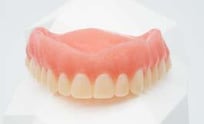
When a patient requires a replacement for their existing denture, creating a duplicate denture using the patient’s current denture as a reference can be an efficient and effective solution. This workflow guides dental professionals through the process of fabricating a duplicate denture, ensuring that the new denture closely mimics (or improves upon) the fit, function, and esthetics of the patient’s existing prosthesis.
Prerequisites
-
If using CBCT scanner (see step 4), denture must not have a soft reline or any soft flanges.
Technology & Materials
-
CBCT or IOS scanner
-
Optional: PVS impression material
-
Optional: Blue or green mousse - for bites only
Patient with Existing Denture Workflow
| Step | Instructions | Image |
| 1. |
Take the following photos with the patient standing up: • Full-face full-smile • Full-face exaggerated smile • Optional: Full-face profile |
 |
| 2. |
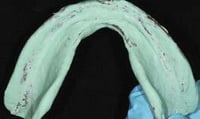
If needed, you may perform a hard reline/wash of the denture for a closer fit. Load the prosthesis with PVS impression material and seat, like a reline impression. Trim away any excess material around the flanges, facial, or buccal of the denture. |
 |
| 3. |
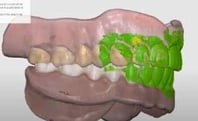
If you wish to restore teeth and VDO, you must capture the opposing and bite while the patient has the denture seated. You may either:
|
 |
| Important: The denture must NOT have a soft reline or any soft flanges if using the CBCT scan method in step 4, below. | ||
| 4. |
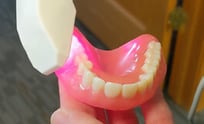
Use one of two methods to capture a 360° extraoral scan of the denture:
|
  |
| 5. |
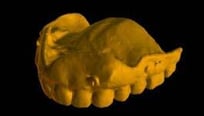
Upload your files and complete the Rx via www.roedentallab.com/upload. Follow the below protocol based on your scanning technology:
|
 |
| 6. |
Seat the new denture. |
 |
Additional Resources
For more information concerning Removable Solutions:
- Removable Solutions Product Page
- Removable Solutions - Your Guide to ROE's Full & Partial Dentures
- More Removable Workflow's
Contact Information
For help with Removable Solution's for your next case, contact ROE Dental Laboratory:
- Phone: (216) 663-2233
- Email: info@roedentallab.com