
Overview
Taking good records is key when making an immediate denture for a patient who has teeth planned to be extracted. Following these steps carefully helps doctors make a denture that looks good and works well for the patient right after their teeth are taken out, making the process easier and helping them heal.
Technology & Materials
-
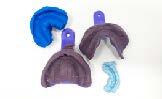
IOS scanner or PVS impression material
-
Optional: Blue or green mousse - for bites only
Immediate Denture Workflow
| Step | Instructions | Image |
| 1. |
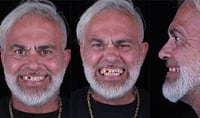
Take the following photos with the patient standing up: • Full-face full-smile • Full-face exaggerated smile • Optional: Full-face profile |
 |
| 2. |
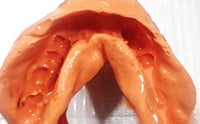
Capture upper and lower impressions and bite. You may either:
|
 |
| 3. |
Send your records to ROE and complete the Rx via www.roedentallab.com/upload. If using IOS, you may submit your scans via the IOS portal, OR export your .STLs and upload to the ROE portal. |
 |
| 4. |
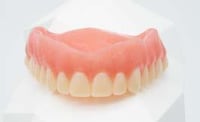
Seat the new denture, after teeth are extracted. |
 |
| 5. |
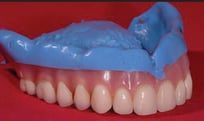
If the denture does not seat, you may either:
|
 |
Additional Resources
For more information concerning Removable Solutions:
- Removable Solutions Product Page
- Removable Solutions - Your Guide to ROE's Full & Partial Dentures
- More Removable Workflow's
Contact Information
For help with Removable Solution's for your next case, contact ROE Dental Laboratory:
- Phone: (216) 663-2233
- Email: info@roedentallab.com