
Workflow Steps for Markers as Bite Reference
| Step | Instructions | Image |
| 1. |
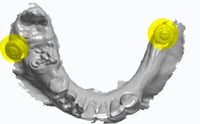
On the day of surgery, prior to beginning the surgical protocol: a. Place at least two TADs on the palate or retromolar pads. Check the CBCT for the best location. b. Capture pre-surgical IOS scan. |
|
| 2. |
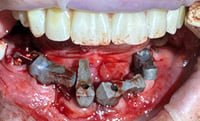
After implant and MUA placement, but prior to suturing, place one ArchBridgeTM scan body on each MUA. Rotate until they are almost touching, for ease of scanabilty. Hand tighten each ArchBridgeTM. |
 |
| 3. |
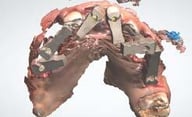
Capture IOS scan, following the protocol of focusing on the scan bodies, not surrounding surfaces. |
 |
| 4. |
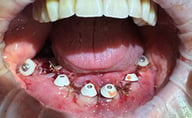
Healing collar impression. Two options: a. IOS: Capture an IOS scan of the tissue with healing collars seated, and TADs (no ArchBridgeTM). This can be pre- or post-suturing. b. PVS: If having trouble with IOS scanning, capture a PVS impression of the tissue with healing collars seated (no ArchBridgeTM) and scan with IOS. |
 |
| 3. |
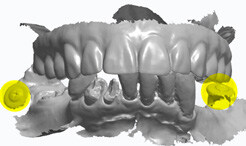
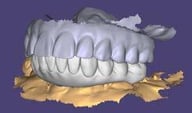
Go to the ROE portal, www.roedentallab.com/grammetry, and upload patient photographs, completed Rx, and the following .STL files.
|
|
Additional Resources
For more information concerning Grammetry ArchBridge Solutions:
- Full Arch Solutions Page
- Download Your Free Grammetry ArchBridge Guide Now
- More Grammetry ArchBridge Workflow's
Contact Information
For help with Grammetry ArchBridge Solution's for your next case, contact ROE Dental Laboratory:
- Phone: (216) 663-2233
- Email: info@roedentallab.com