
Overview
An open-tray impression is a technique that employs impression copings attached to implants with a retaining screw extending past the tray and embedded in the impression. Before removing the impression, the clinician unscrews the coping through an opening in the tray. This direct pick-up method provides exceptional accuracy by eliminating the risk of coping displacement during removal, which is particularly crucial for multi-unit restorations.
Prerequisites
-
Implant is fully integrated
Technology & Materials
- IOS scanner
- Scan bodies
- Optional: Retraction cord
Workflow Steps for Digital Impressions for Implant Crowns
| Step | Instructions | Image |
| 1. |
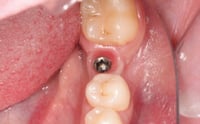
Remove the healing abutment and verify healthy, pink peri-implant tissue with no signs of inflammation or recession around the implant platform. |
 |
| 2. |
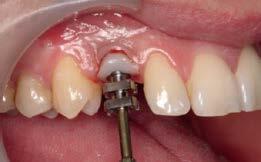
Optional: If your surgeon hasn’t used a custom healing abutment to shape the sulcus to your specifications, this is an optimal time to shape the sulcus using an impression post placed temporarily to form the desired sulcus and neck position of the tooth. |
 |
|
Important: Proper sulcus shaping improves the chances of achieving a hygienic, esthetic implant crown and enhances long-term success by reducing the risk of peri-implantitis from bacterial infiltration around an improperly contoured crown that could cause bone loss. |
||
| 3. |
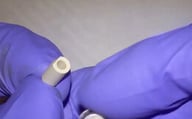
Choose the correct scan body that matches your specific implant system and screw connection type. This selection is essential as different manufacturers have unique connection geometries that must be precisely captured for accurate restoration fabrication. |
 |
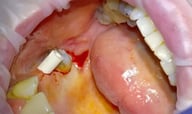
| 4. | Position the scan body onto the implant with gentle pressure while maintaining proper alignment with the internal connection features. Listen and feel for the tactile click or engagement that confirms the scan body is fully seated, and verify visually that there are no gaps between the scan body and implant platform. |
 |
| 5. |
Use an intraoral scanner to scan the scan body, adjacent teeth, and surrounding tissue architecture. Take multiple passes from various angles - buccal, lingual, and occlusal views - to ensure complete data capture and eliminate any potential blind spots or shadows in the digital impression. Optional: Place retraction cord around the implant site if needed to adequately expose subgingival margins and emergence profile details. The cord should be carefully tucked into the sulcus without causing tissue trauma, and adequate time should be allowed for tissue displacement before scanning. |
|
| 6. |
Capture the patient’s occlusal relationship using the scanner’s digital bite registration function. Take scans with the patient in maximum intercuspation and consider additional records in excursive movements for comprehensive occlusal analysis. |
|
| 7. | Remove the scan body and place either a healing abutment or interim crown onto the implant to maintain soft tissue architecture. For anterior cases, an interim crown is particularly valuable as it helps develop an ideal emergence profile and maintains proper tissue contours during the fabrication period. | 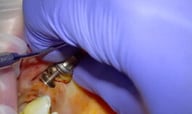
|
| 8. |
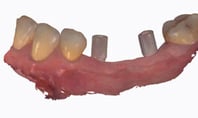
Compile and verify all scan data, including the scan body imaging, full-arch scans, and bite registration files for completeness. |
 |
| 9. |
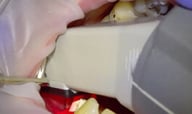
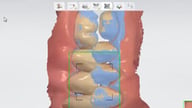
Complete the Rx via www.roedentallab.com/upload. Submit your scans via the IOS portal, OR export your .STLs and upload to the ROE portal. |

|
Additional Resources
For more information concerning Crown & Bridge Solutions:
- Fixed Restorations Product Page
- Crown & Bridge Solutions - Your Guide to ROE's Fixed Restorations
- More Crown & Bridge Workflow's
Contact Information
For help with Crown & Bridge Solution's for your next case, contact ROE Dental Laboratory:
- Phone: (216) 663-2233
- Email: info@roedentallab.com